 |
Quick start on connection to server
SSH/SCP/SFTP:
If you prefer the command-line mode, you may start a "Command Prompt"
by "Start" -> "Programs" -> "Accessories" -> "Command Prompt"
At the prompt, you can use all the commands for UNIX.
For GUI mode, you may start the "SSH Secure Shell
Client". A copy can be downloaded either from
After successful installation, there should be a "SSH Secure Shell Client" icon on your desktop, double click it to open the application and the terminal starts up.
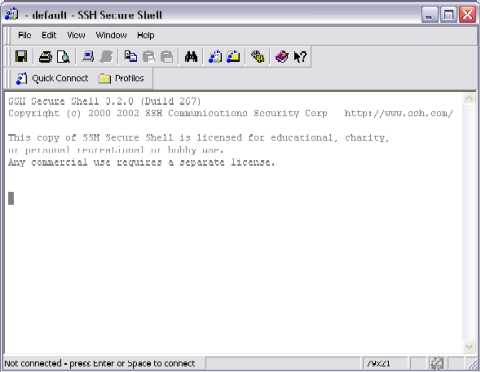
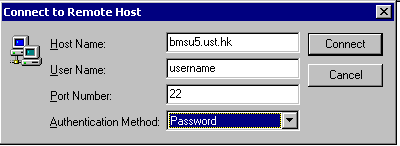
Press "Enter", a dialog will show up and prompt you for hostname and username, input your desire hostname and your username into the corresponding boxes:
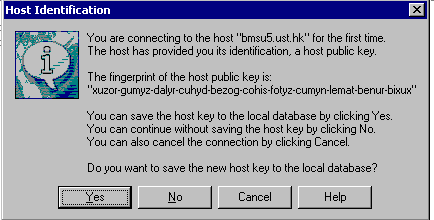
If this is the first time you connect to the remote server, a warning dialog will pop up and ask for your decision, you may simply click "Yes".
Then a little dialog, "Add Profile", will pop up on the upper-right-handed corner, you may store this session as a new profile so that you don't have to type in the username and hostname again, select a self-descriptive profile name, e.g. the hostname you are connecting to.
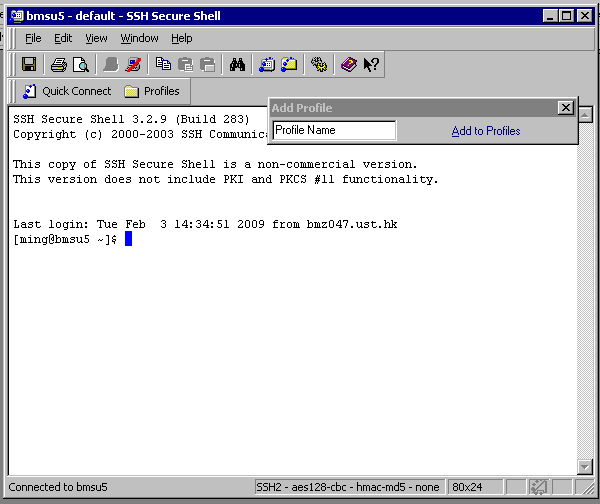
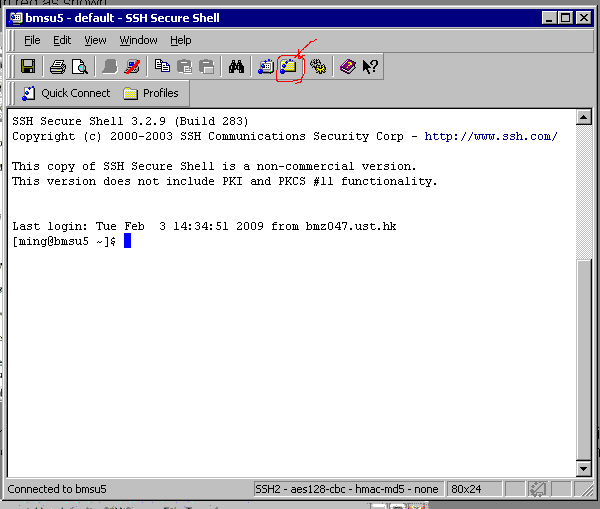
You're done. You are now getting a secure remote terminal, if you would like to do file-transfer, click on the icon circled in red as shown.
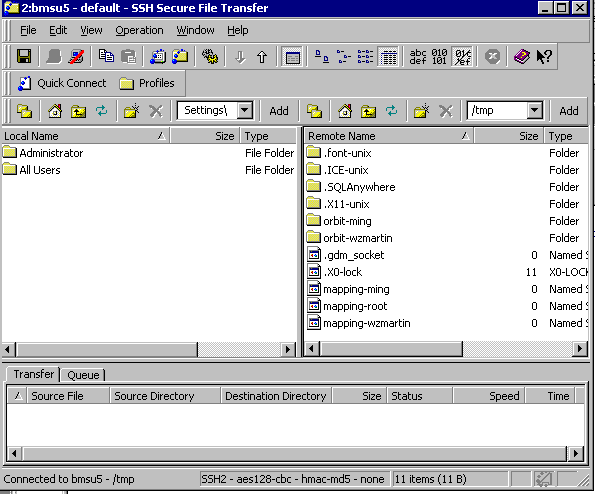
Another new window starts up and you may just drag-n-drop your files between your local machines and the remote server. The left-panel is your local machine file explorer while the right one is the remote side. The bottom panel is the transfer status for pending/active file transfers.
XWin 32:
If you need to use all the displays from the server to appear (eg.
Stata, SAS...etc), please send a request to Ming Lo
fnlo for
installation.
When phd students/RA/faculty left UST, if they didn't apply account extension, their account will be deleted without notice (and files under their account also removed).
Please always keep a backup of your own programs and data (see more on backup).
Last updated: 2 Feb 2009
| Please send comments and suggestions to fnlo | ||
| All rights reserved |